Overview
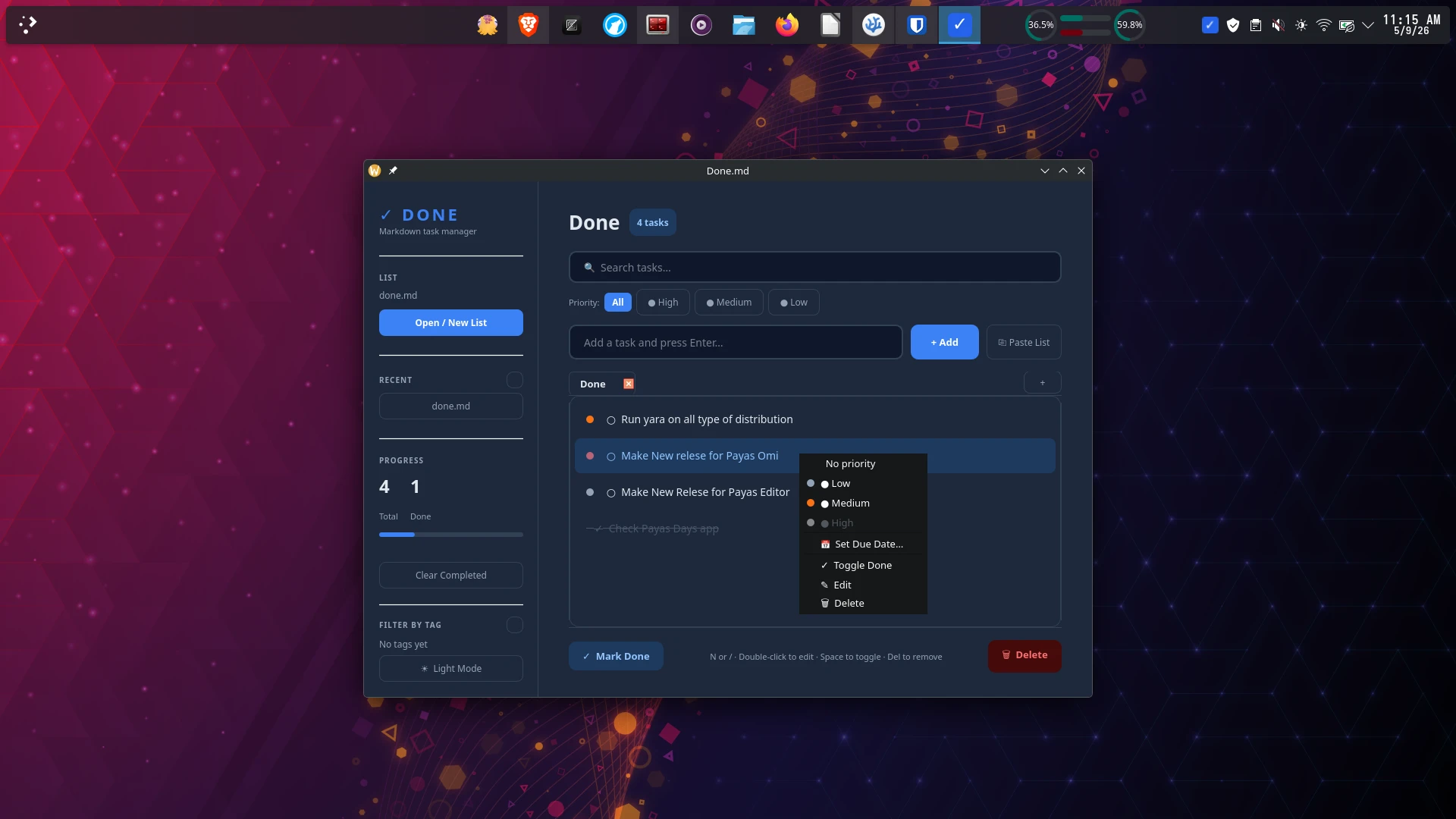
Yara Done is a polished, keyboard-friendly Markdown task manager built with PyQt6. Your tasks live in plain .md files — no database, no cloud, no lock-in. Open them in any text editor and Done.md picks them right up.
Yara Done is released under the MIT License, and built and maintained by Saman Udayanga Wijesinghe as part of the Yara Utility Suite.
Key Features
- Plain Markdown storage — tasks saved as standard
.md checkboxes, readable in any editor
- Dark and light theme — switch instantly without restarting
- Priority levels — colour-coded High / Medium / Low indicators
- Due dates — calendar picker with overdue alerts highlighted in red
#tag support — one-click tag filtering from the sidebar- Multi-list tabs — open multiple task lists at the same time
- Search and filters — search by text, filter by priority or tag
- Drag-and-drop reordering — rearrange tasks with the mouse
- System tray — quick-add tasks without opening the full window
- Undo / Redo — full snapshot-based history (
Ctrl+Z / Ctrl+Y)
- Paste as tasks — paste a clipboard list and each line becomes a task
- Progress bar — completion stats at a glance
Task Syntax
Tasks are stored as standard Markdown checkboxes. Edit the .md file directly in any editor and Done.md picks up the changes on next open.
1
2
|
- [ ] Incomplete task
- [x] Completed task
|
Priority prefixes
| Priority |
Prefix |
Example |
| High |
!!! |
!!! Submit the report |
| Medium |
!! |
!! Review pull request |
| Low |
! |
! Update readme |
| None |
— |
Buy groceries |
You can also use tag notation: [p:high], [p:medium], [p:low]
Buy groceries due:2025-05-20 #personal
Fix login page #work #urgent
Full example
1
2
3
4
5
6
7
8
|
# My To-Do List

*Last updated: 2025-05-09 10:00*

- [ ] !!! Deploy hotfix due:2025-05-10 #work #urgent
- [ ] !! Write weekly report due:2025-05-12 #work
- [ ] Buy birthday gift #personal
- [x] Update dependencies #work
|
Keyboard Shortcuts
| Key |
Action |
Enter |
Add the task in the input box |
N or / |
Jump to the task input box |
Space |
Toggle selected task done / undone |
Delete |
Delete the selected task |
Double-click |
Edit the selected task inline |
Ctrl+Z |
Undo last action |
Ctrl+Y |
Redo |
Escape |
Clear the search box / deselect tasks |
Installation
Arch Linux — AUR (recommended)
or
Install with pip
1
|
pip install --user done-md
|
If done-md is not found, add ~/.local/bin to your PATH:
1
2
|
echo 'export PATH="$HOME/.local/bin:$PATH"' >> ~/.bashrc
source ~/.bashrc
|
AppImage (no install needed)
Download done-md-1.0.0-x86_64.AppImage from the releases page.
1
2
|
chmod +x done-md-1.0.0-x86_64.AppImage
./done-md-1.0.0-x86_64.AppImage
|
Debian / Ubuntu / Mint / Zorin — .deb Package
Download done-md_1.0.0_amd64.deb from the releases page.
1
2
3
|
sudo dpkg -i done-md_1.0.0_amd64.deb
sudo apt-get install -f
done-md
|
Compatibility
| Distribution |
Minimum Version |
Status |
| Ubuntu |
22.04 LTS |
Tested |
| Linux Mint |
21 |
Tested |
| Zorin OS |
16 |
Tested |
| Debian |
Bookworm (12) |
Tested |
| Pop!_OS |
22.04 |
Tested |
Project Structure
yara-done/
├── done_md/
│   ├── __init__.py
│   ├── __main__.py       # Entry point
│   ├── app.py            # Main window and UI logic
│   ├── models.py         # Task parsing and display helpers
│   ├── theme.py          # Light / Dark theme colour dictionaries
│   └── config.py         # Config file paths (~/.config/done-md/)
├── assets/
│   ├── done-md.desktop   # Linux desktop entry
│   └── done-md.png       # App icon
├── done-md.spec          # PyInstaller build spec
├── build_appimage.sh
├── build_deb.sh
└── pyproject.toml
Get Yara Done
The Yara Utility Suite
Yara Done is part of the Yara Utility Suite — a collection of lightweight, focused tools built and maintained by Saman Udayanga Wijesinghe.
License
Yara Done is released under the MIT License.
© 2026 Saman Udayanga Wijesinghe