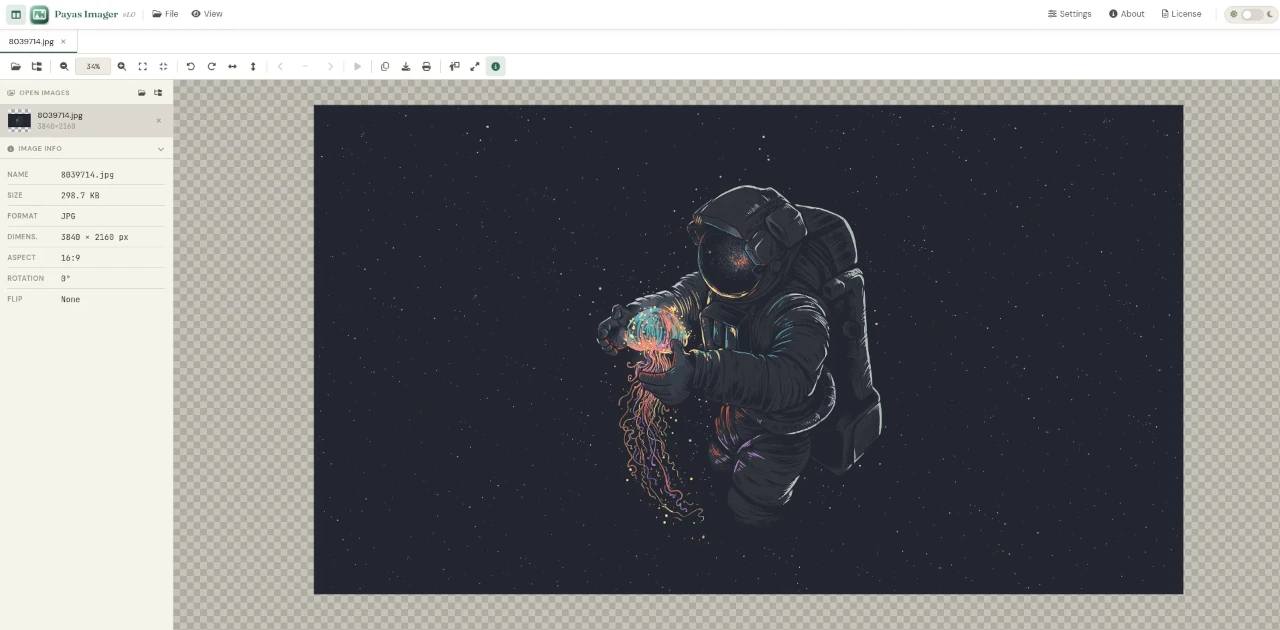
Overview
Payas Imager is an open source image viewer that runs as a web application entirely inside your browser — no server, no backend, no installation required. Open the HTML file locally and it works. It is designed for simplicity and portability: anyone can use it on any device that has a modern web browser.
Payas Imager is built and maintained by Saman Wijesinghe as part of the broader Payas Webkit project.
The Payas Webkit Suite
Payas Imager is one of four tools under the Payas Webkit umbrella — a collection of lightweight, serverless web utilities:
| Tool | Purpose |
|---|---|
| Payas Imager | Image viewer — view and browse images in the browser |
| Payas Editor | Text and code editor running in the browser |
| Payas Player | Media player for audio and video in the browser |
| Payas Reader | Document reader for the browser |
Each tool in the suite shares the same philosophy: zero server dependency, open source, and runs from a single HTML file.
Key Features
- No server required — runs entirely client-side in the browser from a local file
- No installation — download and open, nothing to install or configure
- Open source — full source available on GitLab, free to use and modify
- Cross-platform — works on any OS with a modern browser (Linux, Windows, macOS)
- Lightweight — no heavy frameworks or dependencies, fast to load
Get Payas Imager
| Resource | Link |
|---|---|
| GitLab Repository | gitlab.com/samanscode/payas-imager |
| Download ZIP | payas-imager-main.zip |
Quick Start
- Download the ZIP package from the link above
- Extract the archive
- Open
index.htmlin your browser — no setup needed
License
Payas Imager is open source software. See the repository for license details.